









.svg)







.png)

Most retrospective templates ask for a single root cause. That question steers the meeting toward who made the mistake. Sections with no explanation get filled with boilerplate or skipped, and engineers who care about retrospectives end up designing their own.
The Rootly Retrospective Template is a better default. Seven short sections walk responders through the incident: key information, what happened, impact, contributing factors, learnings, follow-up actions, and a timeline appendix. Every section has help text saying what belongs there. A short preamble explains why the structure looks the way it does.
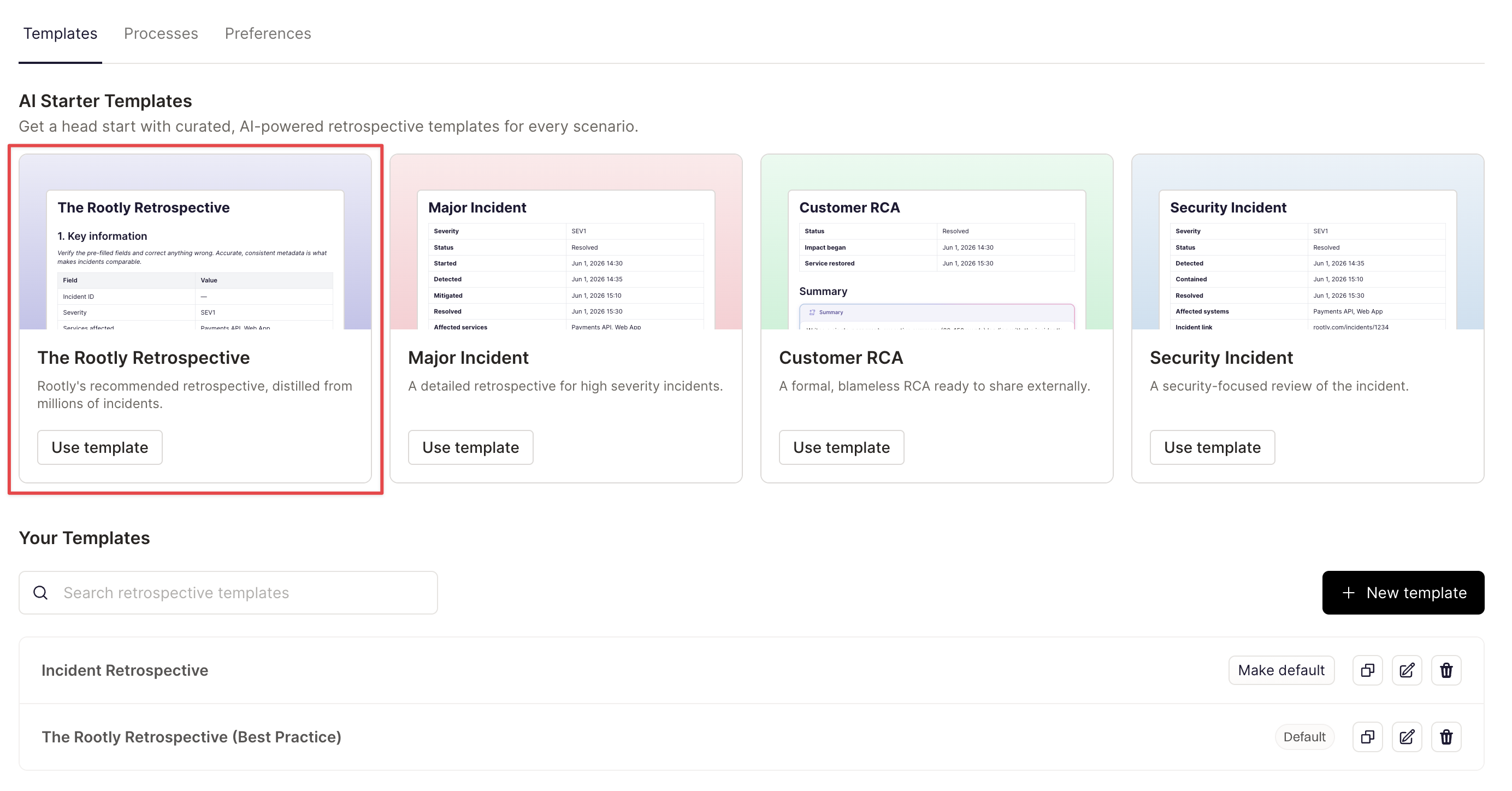
Rootly writes the first draft
With AI retrospectives on, Rootly fills the template from the incident record, the Slack or Microsoft Teams channel, and the bridge call transcript. Drafts are blameless. They refer to roles instead of names, and they don't invent facts, times, or owners. Comment on the draft with your team and tell Rootly what to change until it reads right.
Writing it yourselves? The non-AI version still fills key information, follow-up actions, and the timeline straight from incident data.
Rootly also suggests follow-up actions grounded in the incident. It lists them separately from the actions responders already committed to, so nobody mistakes a suggestion for a promise.
Four new AI blocks
What happened, Contributing factors, Learnings, and Follow-up actions are now AI blocks, and Impact got an update. They work in the template builder and the document editor. Add them to the templates you already use, mix them with your own sections, and keep your process.
Your existing defaults, templates, and retrospectives don't change. When AI retrospectives are on, the Rootly Retrospective Template shows up first in the list.
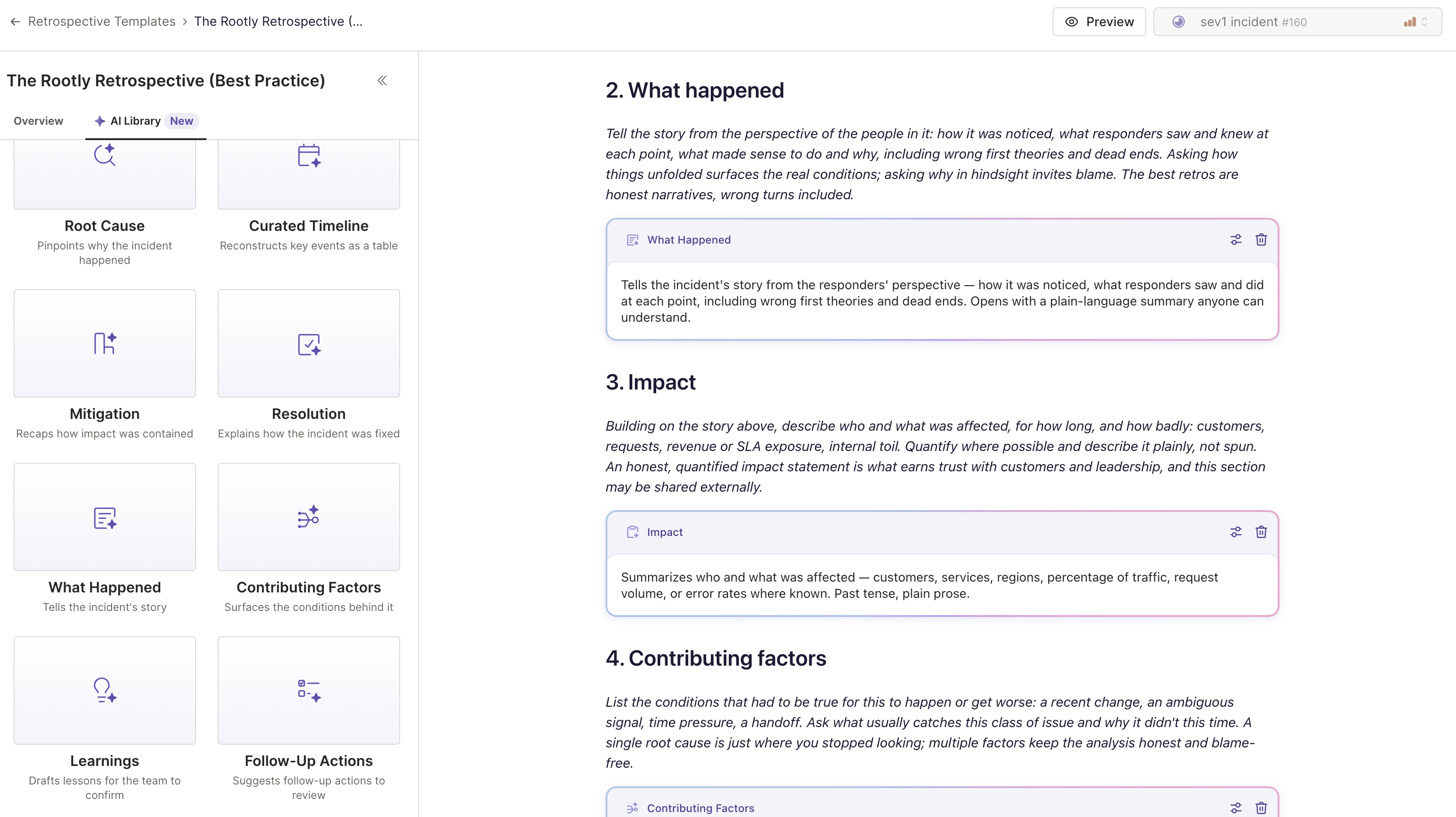
What's included
- The seven-section Rootly Retrospective Template, in AI and non-AI versions.
- Help text on every section, plus a short preamble explaining the structure.
- Key information, follow-up actions, and the timeline filled in from incident data, with or without AI.
- Four new AI blocks (What happened, Contributing factors, Learnings, and Follow-up actions) and an updated Impact block, available in the template builder and document editor.
- Blameless AI drafts that use roles instead of names and never invent facts, times, or owners.
- Suggested follow-up actions grounded in the incident, listed separately from the actions your responders already committed to.
- The Rootly Retrospective Template pinned first in the template list when AI retrospectives are on. Your existing defaults, templates, and retrospectives stay as they are.
Open your retrospective templates to start with the Rootly Retrospective Template, or duplicate it to build your own. Learn more about building Retrospective Templates, as well as Retrospective best practices in our guide.