








.svg)







.png)

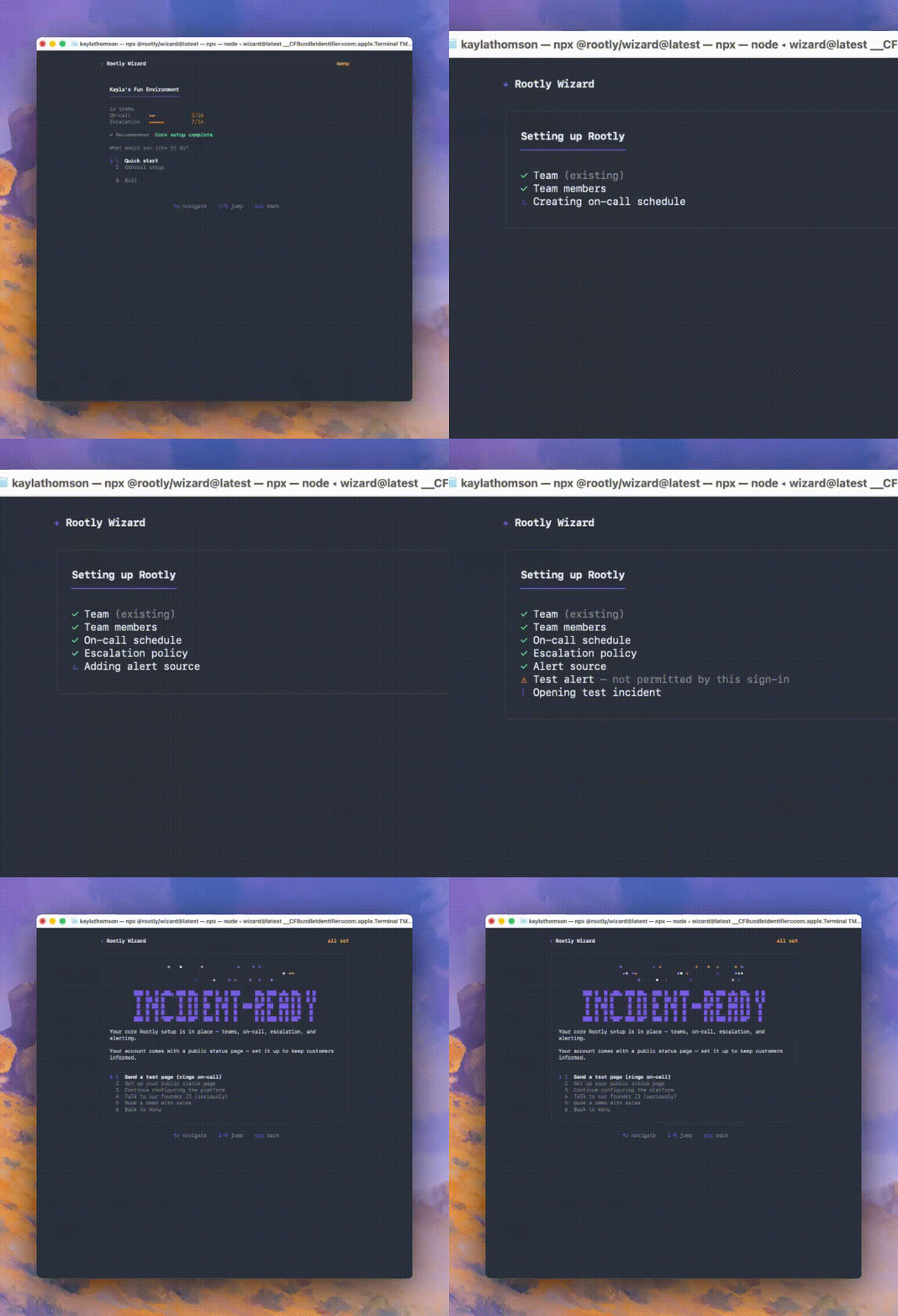
Meet the Rootly Wizard: a guided command-line interface tool that takes a Rootly workspace from empty to incident-ready in minutes. Run one command, npx @rootly/wizard@latest, sign in, and the wizard walks you through the whole setup: creating a team, putting people on call, wiring up escalation and alerting, connecting Slack, and standing up a status page. No install, no clicking through a dozen screens.
The wizard ends with proof, not promises. It fires a real test alert that pages the on-call person's actual phone and opens a real test incident, complete with a link to its Slack channel. You watch the whole flow work end to end before your team ever needs it.
What's included
- One-command setup with
npx @rootly/wizard@latest. Sign in with your browser or a Rootly API token; your session is stored securely in the OS keychain. - A recommended one-shot flow that sets up everything, or individual tasks: teams, on-call, status pages, integrations, and verification.
- An on-call schedule and escalation policy created and wired together automatically, so the policy pages the schedule from day one.
- A public status page with a live URL, with control over which components appear.
- A real test alert and test incident at the end, including a live phone page to whoever is on call.
- Safe to re-run: anything that already exists is reused, never duplicated.
- Built for automation: every step is also a JSON-in/JSON-out action with a dry-run option, ready for CI, scripts, or AI agents. The wizard can even write your Rootly MCP server config for your editor.
Why it matters
Setting up an incident management platform usually means bouncing between screens where each step depends on data from the next. The wizard collapses all of that into a single opinionated flow and finishes on a moment you can feel: your phone rings. It's a free, open-source npm package, works with any Rootly account, and isn't gated by plan tier.
Run npx @rootly/wizard@latest from any terminal with Node.js 18+ to get started, and see the documentation to learn more.